Yep, we may get a tiny thank-you (read: commission) when you buy through links on Gadgetspotr — not enough for a yacht, but enough to keep the lights (and servers) on. Learn more
What makes the 3DMakerPro Moose special? We looked at 152 specs & features in this 3d scanner — including community-favorites like general information, scanning performance, accuracy & resolution & scanning volume & range.
A fast snapshot of the 3DMakerPro Moose, covering its standout specification and what you can expect right out of the box.
3DMakerPro Moose
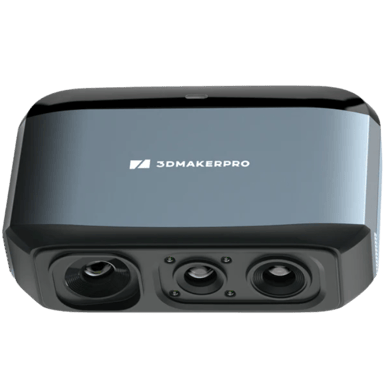
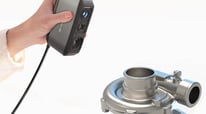
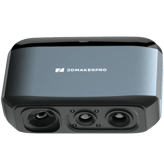
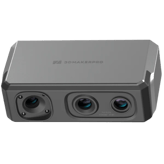
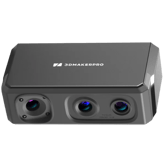
The 3DMakerPro Moose is a sophisticated handheld 3D scanner that utilizes advanced AI visual tracking to provide a smooth, marker-free experience for capturing medium-sized objects. It features a high-accuracy blue LED light system that delivers an impressive 0.03mm precision, making it ideal for everything from hobbyist projects to professional reverse engineering. With its compact, lightweight design and intelligent software that automatically aligns scans, this device simplifies the complex process of creating detailed 3D models.
Specifications & Facts 152
Specs measured. Drama avoided.
It’s all here: the 3DMakerPro Moose 3d scanner’s specs, strengths, weaknesses, and head-to-head with top 3d scanners. Then cast your vote.
General Information 8
3DMakerPro Moose Intended Use
What is the intended use?
0 3DMakerPro Moose 0 Votes Reverse Engineering, 3D Printing
3D Scanner in this range Who knows? (Help us out by suggesting one!)
3DMakerPro Moose
Intended uses include Reverse Engineering and 3D Printing, highlighting its application for design iteration and prototype creation.
Describes the primary applications the scanner is designed for.
Don’t keep it to yourself — be the first to react and review the Intended Use on 3DMakerPro Moose ◉ and help others decide!
3DMakerPro Moose Scanning Method
What scanning method is used?
0 3DMakerPro Moose 0 Votes Structured Light
3D Scanner in this range Who knows? (Help us out by suggesting one!)
3DMakerPro Moose
Uses structured light scanning technology, which projects a pattern onto the object and analyzes deformation to measure its shape accurately.
Identifies the core technology used to capture 3D data.
Don’t keep it to yourself — be the first to react and review the Scanning Method on 3DMakerPro Moose ◉ and help others decide!
3DMakerPro Moose Release Year
What year was the scanner released?
0 3DMakerPro Moose 0 Votes 2024
3D Scanner in this range Who knows? (Help us out by suggesting one!)
3DMakerPro Moose
Released in 2024, this is a current generation device likely to include the latest scanning technologies and software updates.
Shows the year the scanner model was first introduced to the market.
Don’t keep it to yourself — be the first to react and review the Release Year on 3DMakerPro Moose ◉ and help others decide!
3DMakerPro Moose Product Type
What is the product type?
0 3DMakerPro Moose 0 Votes Handheld
3D Scanner in this range Who knows? (Help us out by suggesting one!)
Defines the physical and functional form factor of the 3D scanner.
Don’t keep it to yourself — be the first to react and review the Product Type on 3DMakerPro Moose ◉ and help others decide!
3DMakerPro Moose Scanner Category
What scanner category does it belong to?
0 3DMakerPro Moose 0 Votes Consumer
3D Scanner in this range Who knows? (Help us out by suggesting one!)
Indicates the market segment and typical performance class of the scanner.
Don’t keep it to yourself — be the first to react and review the Scanner Category on 3DMakerPro Moose ◉ and help others decide!
3D Scanner in this range Who knows? (Help us out by suggesting one!)
Specifies how the scanner can be positioned or supported during use.
Don’t keep it to yourself — be the first to react and review the Mounting Type on 3DMakerPro Moose ◉ and help others decide!
3DMakerPro Moose Portability
Is the scanner portable?
No 0Votes 3DMakerPro Moose
3D Scanner in this range Who knows? (Help us out by suggesting one!)
Indicates whether the scanner is designed to be easily carried and used in different locations.
Don’t keep it to yourself — be the first to react and review the Portability on 3DMakerPro Moose ◉ and help others decide!
3DMakerPro Moose Country of Manufacture
Where is the scanner manufactured?
0 3DMakerPro Moose 0 Votes China
3D Scanner in this range Who knows? (Help us out by suggesting one!)
Indicates where the scanner is primarily manufactured or assembled.
Don’t keep it to yourself — be the first to react and review the Country of Manufacture on 3DMakerPro Moose ◉ and help others decide!
Scanning Performance 10
3DMakerPro Moose Single Scan Time
How long does a single scan take?
0.1 sec 0Votes
3D Scanner in this range Who knows? (Help us out by suggesting one!)
3DMakerPro Moose
Single scan time is very fast at 0.1 second, enabling rapid data capture and efficient scanning sessions.
Measures the time required to complete a single scan pass.
Don’t keep it to yourself — be the first to react and review the Single Scan Time on 3DMakerPro Moose ◉ and help others decide!
3DMakerPro Moose Scan Speed
What is the scan speed?
10 fps 0Votes
3D Scanner in this range Who knows? (Help us out by suggesting one!)
Indicates how quickly the scanner captures spatial data during operation.
Don’t keep it to yourself — be the first to react and review the Scan Speed on 3DMakerPro Moose ◉ and help others decide!
3DMakerPro Moose Frames Per Second
How many frames per second does it capture?
10 fps 0Votes
3D Scanner in this range Who knows? (Help us out by suggesting one!)
Represents the number of frames captured per second during scanning.
Don’t keep it to yourself — be the first to react and review the Frames Per Second on 3DMakerPro Moose ◉ and help others decide!
3DMakerPro Moose Scan Stability
How stable is the scanning process?
0 3DMakerPro Moose 0 Votes High
3D Scanner in this range Who knows? (Help us out by suggesting one!)
Describes how stable and consistent scans remain during movement.
Don’t keep it to yourself — be the first to react and review the Scan Stability on 3DMakerPro Moose ◉ and help others decide!
3DMakerPro Moose Tracking Performance
How good is the tracking performance?
0 3DMakerPro Moose 0 Votes Excellent
3D Scanner in this range Who knows? (Help us out by suggesting one!)
Indicates how well the scanner maintains tracking of the object.
Don’t keep it to yourself — be the first to react and review the Tracking Performance on 3DMakerPro Moose ◉ and help others decide!
3DMakerPro Moose Continuous Scan
Does it support continuous scanning?
Yes 0Votes 3DMakerPro Moose
3D Scanner in this range Who knows? (Help us out by suggesting one!)
Indicates whether the scanner supports uninterrupted continuous scanning.
Don’t keep it to yourself — be the first to react and review the Continuous Scan on 3DMakerPro Moose ◉ and help others decide!
3DMakerPro Moose Real-Time Processing
Is real-time processing available?
Yes 0Votes 3DMakerPro Moose
3D Scanner in this range Who knows? (Help us out by suggesting one!)
Shows whether scan data is processed live during capture.
Don’t keep it to yourself — be the first to react and review the Real-Time Processing on 3DMakerPro Moose ◉ and help others decide!
3DMakerPro Moose Rescan Requirement
Does it often require rescanning?
No 0Votes 3DMakerPro Moose
3D Scanner in this range Who knows? (Help us out by suggesting one!)
Shows whether rescanning is often needed to complete a model.
Don’t keep it to yourself — be the first to react and review the Rescan Requirement on 3DMakerPro Moose ◉ and help others decide!
3DMakerPro Moose Motion Compensation
Does it support motion compensation?
Yes 0Votes 3DMakerPro Moose
3D Scanner in this range Who knows? (Help us out by suggesting one!)
Indicates support for compensating object or operator movement.
Don’t keep it to yourself — be the first to react and review the Motion Compensation on 3DMakerPro Moose ◉ and help others decide!
3DMakerPro Moose Multi-Scan Alignment
Does it support multi-scan alignment?
Yes 0Votes 3DMakerPro Moose
3D Scanner in this range Who knows? (Help us out by suggesting one!)
Specifies whether multiple scans can be automatically aligned.
Don’t keep it to yourself — be the first to react and review the Multi-Scan Alignment on 3DMakerPro Moose ◉ and help others decide!
Accuracy & Resolution 10
3DMakerPro Moose Single Scan Accuracy
What is the single scan accuracy?
0 inch 0Votes
3D Scanner in this range Who knows? (Help us out by suggesting one!)
3DMakerPro Moose
Single scan accuracy is high at 0.0012 inch (0.030 cm), supporting precise and detailed capture of fine object features.
Measures the dimensional deviation within a single scan capture.
Don’t keep it to yourself — be the first to react and review the Single Scan Accuracy on 3DMakerPro Moose ◉ and help others decide!
3DMakerPro Moose Resolution Level
What is the resolution level?
0 inch 0Votes
3D Scanner in this range Who knows? (Help us out by suggesting one!)
3DMakerPro Moose
Resolution level is 0.0028 inch (0.007 cm), defining the smallest distinguishable feature size the scanner can resolve.
Represents the smallest detail size the scanner can resolve.
Don’t keep it to yourself — be the first to react and review the Resolution Level on 3DMakerPro Moose ◉ and help others decide!
3DMakerPro Moose Volumetric Accuracy
What is the volumetric accuracy?
0 inch 0Votes
3D Scanner in this range Who knows? (Help us out by suggesting one!)
3DMakerPro Moose
The volumetric accuracy is very high at a precision of 0.00118 inch (0.030 cm), allowing precise 3D measurements suitable for detailed modeling and scanning.
Indicates accuracy across the entire scanned volume.
Don’t keep it to yourself — be the first to react and review the Volumetric Accuracy on 3DMakerPro Moose ◉ and help others decide!
3DMakerPro Moose Point Distance
What is the point distance?
0.01 inch 0Votes
3D Scanner in this range Who knows? (Help us out by suggesting one!)
3DMakerPro Moose
Point distance of 0.00787 inch (0.020 cm) indicates how close individual scan points can be, affecting overall resolution.
Defines the distance between captured data points on the surface.
Don’t keep it to yourself — be the first to react and review the Point Distance on 3DMakerPro Moose ◉ and help others decide!
3DMakerPro Moose Measurement Repeatability
How repeatable are measurements?
0 inch 0Votes
3D Scanner in this range Who knows? (Help us out by suggesting one!)
3DMakerPro Moose
Measurement repeatability is 0.00118 inch (0.030 cm), ensuring consistent and reliable scanning results across multiple captures.
Shows how consistent measurements are across repeated scans.
Don’t keep it to yourself — be the first to react and review the Measurement Repeatability on 3DMakerPro Moose ◉ and help others decide!
3DMakerPro Moose Accuracy Degradation Range
How much does accuracy degrade at range?
0 inch 0Votes
3D Scanner in this range Who knows? (Help us out by suggesting one!)
3DMakerPro Moose
Accuracy degradation range is 0.00394 inch (0.100 cm), describing how scanning accuracy reduces at distance or under certain conditions.
Measures how accuracy declines at extreme distances or volumes.
Don’t keep it to yourself — be the first to react and review the Accuracy Degradation Range on 3DMakerPro Moose ◉ and help others decide!
3DMakerPro Moose Detail Capture Quality
How good is the detail capture quality?
0 3DMakerPro Moose 0 Votes High
3D Scanner in this range Who knows? (Help us out by suggesting one!)
Describes how well small features and textures are preserved.
Don’t keep it to yourself — be the first to react and review the Detail Capture Quality on 3DMakerPro Moose ◉ and help others decide!
3DMakerPro Moose Edge Sharpness
How sharp are captured edges?
0 3DMakerPro Moose 0 Votes Sharp
3D Scanner in this range Who knows? (Help us out by suggesting one!)
Indicates how clearly edges and boundaries are defined.
Don’t keep it to yourself — be the first to react and review the Edge Sharpness on 3DMakerPro Moose ◉ and help others decide!
3DMakerPro Moose Surface Noise Level
What is the surface noise level?
0 3DMakerPro Moose 0 Votes Low
3D Scanner in this range Who knows? (Help us out by suggesting one!)
Reflects the amount of unwanted surface artifacts in scans.
Don’t keep it to yourself — be the first to react and review the Surface Noise Level on 3DMakerPro Moose ◉ and help others decide!
3DMakerPro Moose Calibration Accuracy
What is the calibration accuracy?
0 inch 0Votes
3D Scanner in this range Who knows? (Help us out by suggesting one!)
Indicates accuracy achieved after proper calibration.
Don’t keep it to yourself — be the first to react and review the Calibration Accuracy on 3DMakerPro Moose ◉ and help others decide!
Scanning Volume & Range 7
3DMakerPro Moose Maximum Object Size
What is the maximum object size?
59.06 inch 0Votes
3D Scanner in this range Who knows? (Help us out by suggesting one!)
3DMakerPro Moose
Maximum object size is 59.055 inch (150.0 cm), providing capability to scan relatively large objects in a single session.
Shows the largest object dimension supported by the scanner.
Don’t keep it to yourself — be the first to react and review the Maximum Object Size on 3DMakerPro Moose ◉ and help others decide!
3DMakerPro Moose Minimum Scan Distance
What is the minimum scan distance?
5.91 inch 0Votes
3D Scanner in this range Who knows? (Help us out by suggesting one!)
3DMakerPro Moose
Minimum scan distance is short at 5.91 inch (15.0 cm), allowing close-up scanning of small details or delicate objects.
Represents the closest distance the scanner can be to the object.
Don’t keep it to yourself — be the first to react and review the Minimum Scan Distance on 3DMakerPro Moose ◉ and help others decide!
3DMakerPro Moose Maximum Scan Distance
What is the maximum scan distance?
15.75 inch 0Votes
3D Scanner in this range Who knows? (Help us out by suggesting one!)
3DMakerPro Moose
Maximum scan distance is specified as 15.748 inch (40.0 cm), defining the furthest point from the scanner lens where the device can reliably capture data.
Indicates the farthest distance at which scanning remains effective.
Don’t keep it to yourself — be the first to react and review the Maximum Scan Distance on 3DMakerPro Moose ◉ and help others decide!
3DMakerPro Moose Field of View Width
What is the field of view width?
7.87 inch 0Votes
3D Scanner in this range Who knows? (Help us out by suggesting one!)
3DMakerPro Moose
Field of view width measures 7.874 inch (20.0 cm), indicating the horizontal scanning area captured in a single frame.
Measures the horizontal capture width in a single scan frame.
Don’t keep it to yourself — be the first to react and review the Field of View Width on 3DMakerPro Moose ◉ and help others decide!
3DMakerPro Moose Field of View Height
What is the field of view height?
3.94 inch 0Votes
3D Scanner in this range Who knows? (Help us out by suggesting one!)
3DMakerPro Moose
Field of view height is 3.937 inch (10.0 cm), indicating the vertical size of the scanning area visible to the device at once.
Measures the vertical capture height in a single scan frame.
Don’t keep it to yourself — be the first to react and review the Field of View Height on 3DMakerPro Moose ◉ and help others decide!
3DMakerPro Moose Minimum Object Size
What is the minimum object size?
0.59 inch 0Votes
3D Scanner in this range Who knows? (Help us out by suggesting one!)
Indicates the smallest object dimension that can be reliably scanned.
Don’t keep it to yourself — be the first to react and review the Minimum Object Size on 3DMakerPro Moose ◉ and help others decide!
3DMakerPro Moose Depth of Field
What is the depth of field?
3.94 inch 0Votes
3D Scanner in this range Who knows? (Help us out by suggesting one!)
Describes the usable distance range where objects remain in focus.
Don’t keep it to yourself — be the first to react and review the Depth of Field on 3DMakerPro Moose ◉ and help others decide!
Optics & Sensors 9
3DMakerPro Moose Sensor Type
What type of sensor does it use?
0 3DMakerPro Moose 0 Votes CMOS
3D Scanner in this range Who knows? (Help us out by suggesting one!)
3DMakerPro Moose
The sensor type is CMOS, which is common for digital imaging sensors offering good sensitivity and resolution.
Identifies the primary sensor technology used for depth capture.
Don’t keep it to yourself — be the first to react and review the Sensor Type on 3DMakerPro Moose ◉ and help others decide!
3DMakerPro Moose Light Source Type
What light source is used?
0 3DMakerPro Moose 0 Votes LED
3D Scanner in this range Who knows? (Help us out by suggesting one!)
3DMakerPro Moose
The light source type is LED, providing bright and consistent illumination while being energy efficient.
Describes the type of light used to project patterns or beams.
Don’t keep it to yourself — be the first to react and review the Light Source Type on 3DMakerPro Moose ◉ and help others decide!
3DMakerPro Moose Camera Resolution
What is the camera resolution?
2 mp 0Votes
3D Scanner in this range Who knows? (Help us out by suggesting one!)
3DMakerPro Moose
Camera resolution is 2 megapixels, sufficient for general 3D scanning with detailed texture acquisition.
Specifies the resolution of the capture cameras.
Don’t keep it to yourself — be the first to react and review the Camera Resolution on 3DMakerPro Moose ◉ and help others decide!
3DMakerPro Moose Color Camera Presence
Is there a color camera?
Yes 0Votes 3DMakerPro Moose
3D Scanner in this range Who knows? (Help us out by suggesting one!)
Shows whether a dedicated color camera is included.
Don’t keep it to yourself — be the first to react and review the Color Camera Presence on 3DMakerPro Moose ◉ and help others decide!
3DMakerPro Moose Number of Cameras
How many cameras are included?
0 3DMakerPro Moose 0 Votes 2
3D Scanner in this range Who knows? (Help us out by suggesting one!)
Indicates how many cameras are used for scanning.
Don’t keep it to yourself — be the first to react and review the Number of Cameras on 3DMakerPro Moose ◉ and help others decide!
3DMakerPro Moose Light Source Wavelength
What is the light wavelength?
450 nm 0Votes
3D Scanner in this range Who knows? (Help us out by suggesting one!)
Indicates the wavelength of the emitted light.
Don’t keep it to yourself — be the first to react and review the Light Source Wavelength on 3DMakerPro Moose ◉ and help others decide!
3DMakerPro Moose Laser Class
What laser class does it meet?
0 3DMakerPro Moose 0 Votes Class 1
3D Scanner in this range Who knows? (Help us out by suggesting one!)
Specifies the laser safety classification.
Don’t keep it to yourself — be the first to react and review the Laser Class on 3DMakerPro Moose ◉ and help others decide!
3DMakerPro Moose Infrared
Does it support infrared?
No 0Votes 3DMakerPro Moose
3D Scanner in this range Who knows? (Help us out by suggesting one!)
Indicates whether infrared scanning is supported.
Don’t keep it to yourself — be the first to react and review the Infrared on 3DMakerPro Moose ◉ and help others decide!
3DMakerPro Moose Optical Filter Type
What optical filter is used?
0 3DMakerPro Moose 0 Votes Bandpass
3D Scanner in this range Who knows? (Help us out by suggesting one!)
Describes the type of optical filtering used to improve the quality of captured scans.
Don’t keep it to yourself — be the first to react and review the Optical Filter Type on 3DMakerPro Moose ◉ and help others decide!
3D Scanner in this range Who knows? (Help us out by suggesting one!)
Describes built-in protections like bumpers or lens covers.
Don’t keep it to yourself — be the first to react and review the Protective Features on 3DMakerPro Moose ◉ and help others decide!
Dimensions & Weight 7
3DMakerPro Moose Width
What is the scanner width?
2.4 inch 0Votes
3D Scanner in this range Who knows? (Help us out by suggesting one!)
3DMakerPro Moose
Width of the device measures 2.4 inch (6.1 cm), contributing to a compact and portable design.
Measures the overall width of the scanner body.
Don’t keep it to yourself — be the first to react and review the Width on 3DMakerPro Moose ◉ and help others decide!
3DMakerPro Moose Depth
What is the scanner depth?
2.76 inch 0Votes
3D Scanner in this range Who knows? (Help us out by suggesting one!)
3DMakerPro Moose
Depth is 2.756 inch (7.0 cm), underscoring the scanner's slim and portable design.
Measures the front-to-back depth of the scanner.
Don’t keep it to yourself — be the first to react and review the Depth on 3DMakerPro Moose ◉ and help others decide!
3DMakerPro Moose Height
What is the scanner height?
1.38 inch 0Votes
3D Scanner in this range Who knows? (Help us out by suggesting one!)
3DMakerPro Moose
Height of the device is 1.378 inch (3.5 cm), contributing to its compact form factor.
Measures the overall height of the scanner.
Don’t keep it to yourself — be the first to react and review the Height on 3DMakerPro Moose ◉ and help others decide!
3DMakerPro Moose Weight
How much does the scanner weigh?
0.62 lbs 0Votes
3D Scanner in this range Who knows? (Help us out by suggesting one!)
3DMakerPro Moose
The scanner weighs 0.62 lbs (0.28 kg), making it very lightweight and highly portable.
Indicates the total weight of the scanner unit.
Don’t keep it to yourself — be the first to react and review the Weight on 3DMakerPro Moose ◉ and help others decide!
3DMakerPro Moose Package Width
What is the package width?
11.81 inch 0Votes
3D Scanner in this range Who knows? (Help us out by suggesting one!)
3DMakerPro Moose
Package width is 11.81 inch (30.0 cm), relevant for logistics and storage considerations.
Measures the width of the retail or shipping package.
Don’t keep it to yourself — be the first to react and review the Package Width on 3DMakerPro Moose ◉ and help others decide!
3DMakerPro Moose Package Height
What is the package height?
4.72 inch 0Votes
3D Scanner in this range Who knows? (Help us out by suggesting one!)
3DMakerPro Moose
Package height is 4.72 inch (12.0 cm), useful for understanding the shipping dimensions and storage space needed.
Measures the height of the retail or shipping package.
Don’t keep it to yourself — be the first to react and review the Package Height on 3DMakerPro Moose ◉ and help others decide!
3DMakerPro Moose Package Depth
What is the package depth?
9.84 inch 0Votes
3D Scanner in this range Who knows? (Help us out by suggesting one!)
Measures the depth of the retail or shipping package.
Don’t keep it to yourself — be the first to react and review the Package Depth on 3DMakerPro Moose ◉ and help others decide!
Power & Battery 7
3DMakerPro Moose Battery Capacity
What is the battery capacity?
5,000 mAh 0Votes
3D Scanner in this range Who knows? (Help us out by suggesting one!)
3DMakerPro Moose
The scanner is equipped with a battery capacity of 5000 mAh, providing extended operational time suitable for on-site scanning tasks.
Indicates the total energy capacity of the battery.
Don’t keep it to yourself — be the first to react and review the Battery Capacity on 3DMakerPro Moose ◉ and help others decide!
3DMakerPro Moose Battery Life
How long does the battery last?
3 hours 0Votes
3D Scanner in this range Who knows? (Help us out by suggesting one!)
3DMakerPro Moose
Battery life is 3 hours, which supports moderately long scanning sessions before recharge is needed.
Shows the typical operating time on a full charge.
Don’t keep it to yourself — be the first to react and review the Battery Life on 3DMakerPro Moose ◉ and help others decide!
3DMakerPro Moose Power Consumption
How much power does it consume?
10 Watt 0Votes
3D Scanner in this range Who knows? (Help us out by suggesting one!)
3DMakerPro Moose
Power consumption is 10 Watt, making the device energy efficient and suitable for portable use.
Indicates how much power the scanner consumes during operation.
Don’t keep it to yourself — be the first to react and review the Power Consumption on 3DMakerPro Moose ◉ and help others decide!
3DMakerPro Moose Power Source
What is the power source?
0 3DMakerPro Moose 0 Votes USB Powered
3D Scanner in this range Who knows? (Help us out by suggesting one!)
Identifies the primary power method used by the scanner.
Don’t keep it to yourself — be the first to react and review the Power Source on 3DMakerPro Moose ◉ and help others decide!
3DMakerPro Moose Charging Time
How long does it take to charge?
0 hours 0Votes
3D Scanner in this range Who knows? (Help us out by suggesting one!)
Measures the time required to fully recharge the battery.
Don’t keep it to yourself — be the first to react and review the Charging Time on 3DMakerPro Moose ◉ and help others decide!
3DMakerPro Moose Battery Type
What type of battery does it use?
0 3DMakerPro Moose 0 Votes Lithium-Ion
3D Scanner in this range Who knows? (Help us out by suggesting one!)
Specifies the type of battery used, if applicable.
Don’t keep it to yourself — be the first to react and review the Battery Type on 3DMakerPro Moose ◉ and help others decide!
3DMakerPro Moose External Power
Can it run on external power?
Yes 0Votes 3DMakerPro Moose
3D Scanner in this range Who knows? (Help us out by suggesting one!)
Shows whether the scanner can operate while plugged into external power.
Don’t keep it to yourself — be the first to react and review the External Power on 3DMakerPro Moose ◉ and help others decide!
Environmental & Operating Conditions 7
3DMakerPro Moose Operating Temperature Range
What is the operating temperature range?
0 3DMakerPro Moose 0 Votes 32–104°F
3D Scanner in this range Who knows? (Help us out by suggesting one!)
3DMakerPro Moose
Operating temperature range is 32–104°F (0–40°C), suitable for indoor and many outdoor working environments.
Specifies the temperature range in which the scanner can operate effectively.
Don’t keep it to yourself — be the first to react and review the Operating Temperature Range on 3DMakerPro Moose ◉ and help others decide!
3DMakerPro Moose Storage Temperature Range
What is the storage temperature range?
0 3DMakerPro Moose 0 Votes 14–140°F
3D Scanner in this range Who knows? (Help us out by suggesting one!)
3DMakerPro Moose
Operating humidity range originally specified as 14–140°F converts to -10–60°C, ensuring the device functions reliably in typical indoor and some outdoor temperatures.
Indicates safe temperature limits for storing the scanner when not in use.
Don’t keep it to yourself — be the first to react and review the Storage Temperature Range on 3DMakerPro Moose ◉ and help others decide!
3DMakerPro Moose Operating Humidity Range
What humidity levels are supported?
0 3DMakerPro Moose 0 Votes 10–90%
3D Scanner in this range Who knows? (Help us out by suggesting one!)
Describes acceptable humidity levels during operation.
Don’t keep it to yourself — be the first to react and review the Operating Humidity Range on 3DMakerPro Moose ◉ and help others decide!
3DMakerPro Moose Outdoor Use
Can it be used outdoors?
Yes 0Votes 3DMakerPro Moose
3D Scanner in this range Who knows? (Help us out by suggesting one!)
Indicates whether the scanner can be used outdoors.
Don’t keep it to yourself — be the first to react and review the Outdoor Use on 3DMakerPro Moose ◉ and help others decide!
3DMakerPro Moose Vibration Resistance
Is it resistant to vibration?
No 0Votes 3DMakerPro Moose
3D Scanner in this range Who knows? (Help us out by suggesting one!)
Shows resistance to vibration during operation.
Don’t keep it to yourself — be the first to react and review the Vibration Resistance on 3DMakerPro Moose ◉ and help others decide!
3DMakerPro Moose Dust Resistance
Is it dust resistant?
No 0Votes 3DMakerPro Moose
3D Scanner in this range Who knows? (Help us out by suggesting one!)
Indicates protection against dust ingress.
Don’t keep it to yourself — be the first to react and review the Dust Resistance on 3DMakerPro Moose ◉ and help others decide!
3DMakerPro Moose Moisture Resistance
Is it moisture resistant?
No 0Votes 3DMakerPro Moose
3D Scanner in this range Who knows? (Help us out by suggesting one!)
Shows resistance to moisture or light splashes.
Don’t keep it to yourself — be the first to react and review the Moisture Resistance on 3DMakerPro Moose ◉ and help others decide!
Calibration & Maintenance 6
3DMakerPro Moose Calibration Method
What calibration method is used?
0 3DMakerPro Moose 0 Votes Hybrid
3D Scanner in this range Who knows? (Help us out by suggesting one!)
Describes how the scanner is calibrated to maintain accuracy.
Don’t keep it to yourself — be the first to react and review the Calibration Method on 3DMakerPro Moose ◉ and help others decide!
3DMakerPro Moose Calibration Frequency
How often is calibration needed?
0 3DMakerPro Moose 0 Votes Periodic
3D Scanner in this range Who knows? (Help us out by suggesting one!)
Indicates how often calibration is required.
Don’t keep it to yourself — be the first to react and review the Calibration Frequency on 3DMakerPro Moose ◉ and help others decide!
3DMakerPro Moose Auto Calibration
Does it support auto calibration?
Yes 0Votes 3DMakerPro Moose
3D Scanner in this range Who knows? (Help us out by suggesting one!)
Shows whether the scanner supports automatic calibration.
Don’t keep it to yourself — be the first to react and review the Auto Calibration on 3DMakerPro Moose ◉ and help others decide!
3DMakerPro Moose Manual Calibration
Is manual calibration possible?
Yes 0Votes 3DMakerPro Moose
3D Scanner in this range Who knows? (Help us out by suggesting one!)
Indicates whether users can manually calibrate the scanner.
Don’t keep it to yourself — be the first to react and review the Manual Calibration on 3DMakerPro Moose ◉ and help others decide!
3DMakerPro Moose Maintenance Requirement
How much maintenance is required?
0 3DMakerPro Moose 0 Votes Low
3D Scanner in this range Who knows? (Help us out by suggesting one!)
Describes the typical level of maintenance needed.
Don’t keep it to yourself — be the first to react and review the Maintenance Requirement on 3DMakerPro Moose ◉ and help others decide!
3DMakerPro Moose Firmware Update Method
How are firmware updates performed?
0 3DMakerPro Moose 0 Votes Software-Based
3D Scanner in this range Who knows? (Help us out by suggesting one!)
Indicates how firmware updates are delivered and installed.
Don’t keep it to yourself — be the first to react and review the Firmware Update Method on 3DMakerPro Moose ◉ and help others decide!
Security & Data Handling 6
3DMakerPro Moose Data Ownership Policy
Who owns the scan data?
0 3DMakerPro Moose 0 Votes User
3D Scanner in this range Who knows? (Help us out by suggesting one!)
Describes who retains ownership of captured scan data.
Don’t keep it to yourself — be the first to react and review the Data Ownership Policy on 3DMakerPro Moose ◉ and help others decide!
3DMakerPro Moose Local Data Storage
Is local data storage supported?
No 0Votes 3DMakerPro Moose
3D Scanner in this range Who knows? (Help us out by suggesting one!)
Indicates whether scan data can be stored locally on the device or connected system.
Don’t keep it to yourself — be the first to react and review the Local Data Storage on 3DMakerPro Moose ◉ and help others decide!
3DMakerPro Moose Cloud Processing Option
Is cloud processing available?
No 0Votes 3DMakerPro Moose
3D Scanner in this range Who knows? (Help us out by suggesting one!)
Shows whether cloud-based processing is available as an option.
Don’t keep it to yourself — be the first to react and review the Cloud Processing Option on 3DMakerPro Moose ◉ and help others decide!
3DMakerPro Moose Data Encryption
Is data encrypted?
No 0Votes 3DMakerPro Moose
3D Scanner in this range Who knows? (Help us out by suggesting one!)
Indicates whether scan data is encrypted during storage or transfer.
Don’t keep it to yourself — be the first to react and review the Data Encryption on 3DMakerPro Moose ◉ and help others decide!
3DMakerPro Moose User Access Control
Are access controls supported?
No 0Votes 3DMakerPro Moose
3D Scanner in this range Who knows? (Help us out by suggesting one!)
Shows whether access can be restricted to authorized users.
Don’t keep it to yourself — be the first to react and review the User Access Control on 3DMakerPro Moose ◉ and help others decide!
3DMakerPro Moose Offline Mode
Can it work offline?
Yes 0Votes 3DMakerPro Moose
3D Scanner in this range Who knows? (Help us out by suggesting one!)
Indicates whether the scanner can operate without internet access.
Don’t keep it to yourself — be the first to react and review the Offline Mode on 3DMakerPro Moose ◉ and help others decide!
 Supermod
  Moderator